Quick answer
Treat winter break as a four-week block, not a two-week sprint: the week before break, the two weeks of break, and your first week back. Spend week 1 resting and choosing one specific goal, week 2 learning the one skill that goal needs, week 3 building something small and real with it, and week 4 finishing, writing it up and putting spring deadlines on your calendar.
Keep it to about 1-2 focused hours a day on most days, protect your sleep (teens need 8-10 hours a night, per the CDC), and aim to end break with one finished thing you can explain in a sentence. That beats five half-started projects every time.
Key takeaways
- One goal, one skill, one finished result. Winter break is too short for more.
- Rest is part of the plan. In 2025, only about 1 in 4 US high school students got at least 8 hours of sleep on a school night (CDC). Break is your chance to catch up.
- STEM skills are worth building now. The US Bureau of Labor Statistics projects STEM jobs to grow 7.4% from 2025 to 2035, more than twice the 3.2% for non-STEM jobs. Data scientist jobs are projected to grow 33.5% from 2024 to 2034.
- Use AI tools honestly. 54% of US teens have already used AI chatbots for schoolwork (Pew, 2026). Over break, use them to explain and debug, not to do the project for you.
- Several 2026-27 dates fall right around break. Cornell's winter session starts January 4, 2027, the Summer Science Program opens applications the same day, MIT Beaver Works prerequisites open February 1, 2027, and AP Exams run May 3-14, 2027.
- End break with a 150-character summary of what you did. That's the length the Common App gives you to describe each activity.
Why is winter break such a useful time for STEM students?
Every December, students tell me they're going to "do a lot of STEM over break." By January, most of them did a little coding on December 22 and then nothing until school started. Almost every time, the missing piece was a plan, and they had plenty of motivation.
Winter break has three things the rest of the school year doesn't. You have unscheduled hours, you have no new homework, and you're between semesters, so you can choose what to learn without a syllabus telling you. That makes it a good time to try something new in STEM, whether that's your first Python script, a data analysis on a question you care about or a small hardware build.
It's also short. Most breaks are about two weeks, and holidays, travel and family plans take a big share of that. So the plan below stretches the window: it starts the week before break and ends the week after, when you're back in a routine and can finish things.
If you're still deciding whether to join a structured winter course this year, start with my guide to winter STEM programs for high school students in 2026-27. If you're torn between a program and doing something on your own, I've written about winter STEM programs vs. building your own project. This post covers what to do, week by week.
What does the latest data say about teens, STEM and winter break?
Before the plan, here is the context I share with families this year. These are the most recent figures I could verify in November 2026.
What the data shows | The number | Source |
|---|---|---|
Projected growth in STEM jobs, 2025-35 | 7.4%, vs. 3.2% for non-STEM jobs | US Bureau of Labor Statistics |
Median annual wage, 2025 | $106,360 in STEM jobs, vs. $49,050 in non-STEM jobs | US Bureau of Labor Statistics |
Projected growth for data scientists, 2024-34 | 33.5% (about 82,500 jobs) | US Bureau of Labor Statistics |
Projected growth for information security analysts, 2024-34 | 28.5% | US Bureau of Labor Statistics |
Projected growth for software developers, 2024-34 | 15.8% (about 267,700 jobs, the largest numeric gain in the group) | US Bureau of Labor Statistics |
US teens who use AI chatbots | 64%, and about 3 in 10 use them daily | Pew Research Center, survey of 1,458 teens, Sept.-Oct. 2025 |
US teens who have used chatbots for schoolwork | 54% | Pew Research Center |
US teens who say they are online "almost constantly" | About 4 in 10 | Pew Research Center, Dec. 2025 |
US high school students who got 8+ hours of sleep on a school night | About 1 in 4 (2025) | CDC Youth Risk Behavior Survey |
What this means for your break.
- STEM skills keep paying off. The fastest-growing roles, like data science, cybersecurity and software, all build on skills a high schooler can start learning at home: coding, working with data and solving problems step by step. A winter break is a good time to try one and see if you like it.
- AI is already part of how teens learn. Most teens use chatbots, so you probably will too. What matters is using them in a way that builds your own skills, which I cover below.
- Screens and sleep are the real competition. With 4 in 10 teens online almost constantly and only 1 in 4 high schoolers sleeping enough on school nights, the biggest win over break may be protecting a few focused hours and a full night's sleep. The plan is built around that.
Which STEM path should you pick for winter break?
The most common question I get in November is "What should I actually work on?" Pick one path from this table. Each one fits in about 10-20 hours over break and ends with something you can show.
Path | Good fit if you… | Starter goal for break | What you'll need | What you'll have at the end |
|---|---|---|---|---|
Coding | Have never coded, or have done a little in school | Build a small Python program that solves one everyday problem (a study timer, a budget tracker, a quiz) | A laptop, Python, a free code editor | A working program with a short README |
Data science | Like math, sports, health or social issues | Answer one question with a real dataset and make 3-5 clear charts | Python or a spreadsheet, one public dataset (for example from Data.gov) | A one-page findings summary with charts |
AI and machine learning | Have never coded, or have done a little in school | Train a simple model that classifies or predicts something you care about | Python, a beginner ML library, a labeled dataset | A working model, its accuracy, and a note on what it gets wrong |
Engineering and hardware | Like building with your hands | Build a small device that senses or measures something (temperature, light, motion) | A beginner microcontroller kit and sensors | A working prototype, photos and a short build log |
Science research | Are thinking about a science fair | Write a clear research question, read 5-8 sources and design an experiment | Library access, Google Scholar, a notebook | A 1-2 page research plan ready to test in spring |
How to choose. Pick the path closest to something you already care about. If you play a sport, data science on your team's stats will hold your attention better than a random tutorial dataset. If you're not sure where to start, browse these STEM passion project ideas, these data science project ideas for high schoolers or these easy computer science projects you can build at home.

What does a 4-week winter break STEM plan look like?
Here is the plan at a glance. The weeks are written for a typical break in late December, so shift them to match your school's calendar.
Week | When (typical) | Focus | Time | What you should have by the end |
|---|---|---|---|---|
Week 1: Reset and choose | Last week of school before break | Rest, clear schoolwork, pick one goal | 1-2 hours total | A one-sentence goal and a list of what you need |
Week 2: Learn | First week of break | Learn the one skill your goal needs | 1-2 hours a day, 5 days | A small working example (a script, a chart, a circuit) |
Week 3: Build | Second week of break | Use the skill on your own question or problem | 1-2 hours a day, 4-5 days | A rough but working first version |
Week 4: Finish and launch | First week back at school | Polish, document, share, set spring dates | 30-45 minutes, 3-4 evenings | A finished result, a short write-up and deadlines on your calendar |
A realistic pace is 1-2 focused hours a day, five days a week, during weeks 2 and 3. Take the holidays off completely. You'll get more done in ten focused sessions than in two weeks of "I'll work on it later."
Week 1: How do you rest and choose one clear goal?
The week before break is usually full of tests and projects, so don't try to start anything big. Use it to set up.
1. Finish school first. Turn in anything that's due and check your grades. Nothing ruins a break faster than a missing assignment you remember on December 26.
2. Write one goal in one sentence. A good winter goal names a skill and a result. Compare these:
- Weak: "Learn AI."
- Better: "Learn enough Python to analyze my city's air quality data and make three charts."
- Better: "Build a simple app that tracks my cross-country training and shows weekly progress."
A quick test I use: if a friend can't picture what you'll have on January 10, the goal is too vague.
3. Make a short "what I need" list. A laptop, a free code editor, a public dataset, a parts list, a library book. Get these sorted before break so you don't lose your first week to setup. If you're ordering any hardware, order it now, since holiday shipping is slow.
4. Ask one teacher one question. Tell a science, math or computer science teacher what you're planning and ask, "What would make this better?" It takes two minutes, and you'll often get an idea, a resource or someone to show your result to in January.
5. Block your calendar. Look at family plans, travel and holidays, and mark 8-10 days when you can do a focused session. Write them down. Students who pick their days in advance finish far more often than students who wait to "find time."
6. Check deadlines. Some important dates land right around break. Cornell Precollege Winter Online classes run January 4-22, 2027. The Summer Science Program opens applications on January 4, 2027, and announces its deadlines in early December. If you're interested in a structured course, decide now rather than over break.
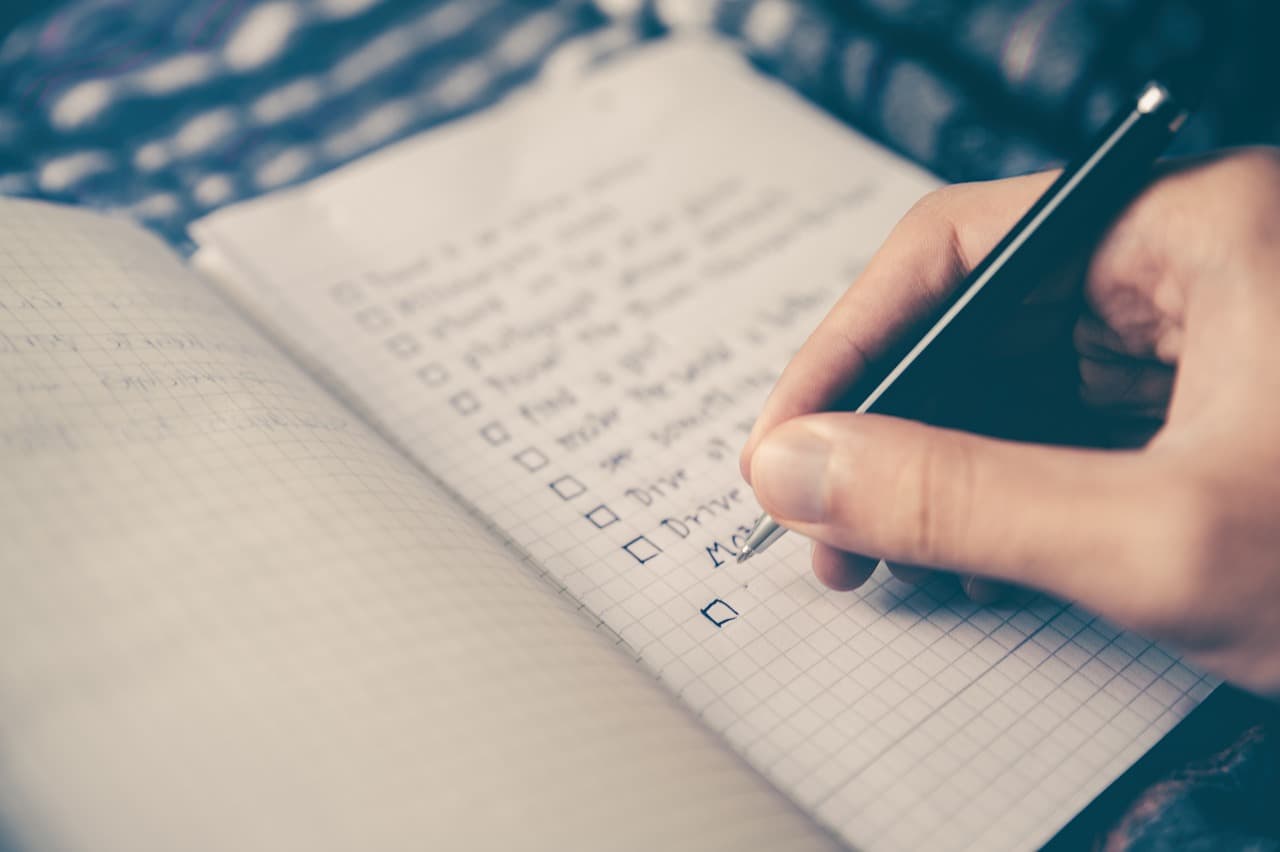
Week 1 checklist
- ☐ All schoolwork turned in
- ☐ One-sentence goal written down
- ☐ Path chosen (coding, data, AI, hardware or research)
- ☐ Tools, data or parts ready
- ☐ 8-10 work days marked on the calendar
- ☐ One teacher told about the plan
Week 2: How do you learn a new STEM skill without burning out?
This is the first real week of break. The goal is to learn only what your project needs, not to finish a whole course.
Learn in short blocks. Work for 45-60 minutes, take a break, then do one more block if you feel like it. Mornings tend to work best before family plans fill the day.
Follow the "one tutorial, then your own data" rule. Do one tutorial or chapter, then immediately try the same steps on your own data or problem. This is where real learning happens, because things break and you have to figure out why.
Keep a simple log. At the end of each session, write three lines: what you did, what broke and what you'll try next. It takes two minutes and solves two problems. It tells you where to start tomorrow, and it becomes your raw material for essays, interviews and your write-up later.
Expect to feel stuck. Getting stuck for a day on an error message or a confusing concept is normal. If you're stuck for more than two sessions, ask for help: a teacher, an online forum or a friend who codes.
A sample week 2 for the data science path
Day | Focus | Done when… |
|---|---|---|
Day 1 | Set up Python or a spreadsheet; open your dataset | You can see the first 10 rows |
Day 2 | Learn to filter and sort data | You can answer one simple question ("Which month had the most…?") |
Day 3 | Learn to make one chart | You have one clear, labeled chart |
Day 4 | Clean messy data (missing values, wrong formats) | Your data has no obvious errors |
Day 5 | Review your log; write down 3 questions for week 3 | You know exactly what to build next |
The same shape works for other paths. For coding, swap in "write a function," "handle user input" and "fix your first bug." For hardware, swap in "light an LED," "read one sensor" and "print readings to the screen."
If you're new to coding and want a gentle first project, these fun Python projects for high schoolers are a good warm-up. If you're interested in AI specifically, try one of these AI projects you can build over winter break.
By the end of week 2, you should have one small thing that works: a script that loads your data, a first chart, a sensor that gives a reading or a model that makes a basic prediction.

How should you use AI tools during a winter break STEM project?
This question comes up in almost every family meeting I have now, and the data explains why. Pew Research Center's 2026 report on teens and AI found that 64% of US teens use AI chatbots and 54% have used them for schoolwork. About 1 in 10 teens said they do all or most of their schoolwork with chatbots.
For a winter break project, AI can be a great tutor or a shortcut that leaves you with nothing to show. This is where I draw the line.

Good uses of AI over break
- Asking it to explain an error message or a concept you don't understand
- Asking it for three ways to approach a problem, then choosing one yourself
- Asking it to review your code and point out bugs, then fixing them yourself
- Asking it for practice questions to check that you understand something
Uses that hurt you
- Having it write the whole program, analysis or report
- Copying code you can't explain line by line
- Using it to make up sources, data or results
My rule: if you couldn't explain it to a teacher without the chatbot open, it isn't your work yet. Keep a short note in your log of where and how you used AI. If your project ever goes into a science fair, a summer program application or an interview, being able to say exactly what you did yourself is a strength. Also check your school's policy, since rules on AI use vary a lot.
Week 3: How do you turn what you learned into something real?
Week 3 is where a winter break stops being "I watched some tutorials" and becomes "I made something."
Build the smallest version that answers your question. If your goal was three charts about air quality, make the three charts, even if they're ugly. If your goal was an app, make one screen that does the main job. Polish comes later.
Cut, don't add. Most students try to add features in week 3. Do the opposite. Write down every extra idea in a "later" list and keep going on the main one.
Test it on real people or real data. A parent, a sibling, a friend or the teacher you asked in week 1. Watch them use it or read it. Their first confused question tells you what to fix. For a data project, check one of your findings against a second source to make sure it holds up.
Take the holidays off. Plan around family days on purpose. A break from the work often helps you solve a problem you were stuck on.
What "done" looks like for each path
Path | Rough first version at the end of week 3 |
|---|---|
Coding | The program runs start to finish and does its main job, even if it's plain |
Data science | 3-5 charts that each answer part of your question, plus one sentence per chart |
AI and machine learning | A model that runs and gives an accuracy number, plus 5 examples it got wrong |
Engineering and hardware | A device that takes a reading and shows or stores it |
Science research | A written question, hypothesis, method and materials list |
By the end of week 3, you should have a rough first version that does the main thing you set out to do.
Week 4: How do you finish, document and get ready for spring?
The first week back at school is when you finish. You're back in a routine, and 30-45 minutes on 3-4 evenings is enough.
1. Fix the one thing that matters most. Not everything, just the biggest problem someone noticed in week 3.
2. Write it up. One page, or a README if you used code. Use this simple structure:
- The problem: one or two sentences on what you wanted to solve or find out, and why
- What I did: the tools, data or parts you used, and your main steps
- What I found or built: your result, with a chart, screenshot or photo
- What didn't work: one or two honest notes
- What I'd do next: the next step if you keep going in spring
If you used code, put it on GitHub. A public, dated record of your work is useful later. This guide to building a high school portfolio for college admissions shows how to collect it.
3. Draft your 150-character description. The Common App gives you 150 characters to describe each activity. Try writing yours now, even if you're years away from applying. Here are two examples of the shape I look for (these are illustrations, not real students):
- "Analyzed 5 years of city air-quality data in Python; found winter spikes near 2 schools and shared charts with my science teacher."
- "Built an Arduino sensor that logs classroom temperature every 10 minutes; used the data to propose a fix to our school's facilities team."
If you can't write a clear one, you'll know what's missing.
4. Share it with one person outside your family. The teacher from week 1 is the easiest choice. Sharing your work turns a private project into something with a real audience, and it's often how students get their next idea or opportunity.
5. Put spring dates on your calendar. Here are the 2026-27 dates I'd want every STEM student to know:
Date | What it is |
|---|---|
November 20, 2026 | Registration deadline for the December 5 SAT (late registration until November 24) |
December 5, 2026 | SAT test date |
January 4, 2027 | Summer Science Program applications open (10 a.m. ET); Cornell Precollege Winter Online classes begin |
January-March (varies by fair) | Many local and regional science fairs. Regeneron ISEF (Los Angeles, May 2027) starts at a Society-affiliated fair, so check your region's dates now. |
February 1, 2027 | MIT Beaver Works Summer Institute online prerequisite courses open |
February 19, 2027 | Registration deadline for the March 6 SAT |
March 6, 2027 | SAT test date |
May 3-14, 2027 | AP Exams. Plan your spring project time around them. |
May 1 and June 5, 2027 | SAT test dates (deadlines April 16 and May 21) |
For more spring and summer ideas, see this list of STEM competitions for high school students and the summer deadlines section of the pillar guide.
What do real 4-week winter break plans look like?
Here are three sample plans I've adapted from the kinds of students I work with. The students are composites, not real people, but the plans are realistic.
Plan A: a 9th grader who has never coded
- Goal: "Build a Python quiz game that tests me on biology vocabulary."
- Week 1: Install Python and a code editor. Write the goal. Ask the biology teacher for a vocabulary list.
- Week 2: Learn variables, input, if-statements and lists through one beginner tutorial, applying each step to the quiz.
- Week 3: Build the quiz: 20 questions, a score at the end and a "try again" option.
- Week 4: Add a README, show it to the biology teacher and share it with a classmate.
- Why it works: it's small, it's useful to the student and it connects to a real class.
Plan B: a 10th grader who plays soccer and likes math
- Goal: "Use a public dataset to find out whether teams that shoot more actually win more, and make five charts."
- Week 1: Pick a public sports dataset. Decide on Python or a spreadsheet. Write three questions.
- Week 2: Learn to sort, filter and chart data.
- Week 3: Answer the three questions with charts. Check one finding against a second source.
- Week 4: Write a one-page summary. Share it with the coach and a math teacher.
- Why it works: it starts from something the student already cares about, which keeps motivation high.
Plan C: an 11th grader planning a spring science fair
- Goal: "Write a full research plan to test whether a low-cost sensor can measure indoor air quality accurately."
- Week 1: Check the regional fair's dates and rules. Talk to the science teacher.
- Week 2: Read 6-8 sources on air quality sensors and write a short literature summary.
- Week 3: Write the question, hypothesis, method and materials list. Order parts.
- Week 4: Get the teacher's feedback. Fix the method. Schedule testing for February.
- Why it works: winter break is used for the thinking, so spring can be used for testing. For more on this route, see how to turn a science fair project into a standout college application.
How should your winter break plan change by grade?
The four weeks stay the same. What changes is the goal.
- Grade 9: explore. Pick the skill that interests you most and build something tiny. Finishing one small thing is a big win at this stage.
- Grade 10: go one level deeper. Pick a problem in a field you like, such as health, sports, finance or the environment, and build a first version. Most college-credit winter programs, such as Cornell's, require you to have finished grade 10, so this is also a good year to plan for next winter.
- Grade 11: this is the winter that counts most. Choose a goal you can keep building on through spring, and keep summer program deadlines in view. With AP Exams on May 3-14, 2027, aim to finish the core of your project by March. If you're balancing heavy AP classes, this piece on balancing APs and a research project is worth reading.
- Grade 12: most applications are in. Rest first. If you finish something meaningful, it can go into an update letter to a college, but do it because you want to.
What does a focused winter-sized project look like in practice?
Here's one real example of the kind of focused project that fits this plan, published on the BetterMind Labs student projects page. I'm using it because it shows how a personal interest turns into a clear STEM problem.
Student: Bethany, an 11th grader Project: Athlete Powerhouse Tracks listed: AI + Healthcare, AI + Sports
The problem. Athletes get a lot of generic advice about food and training. What they usually need is guidance that fits their own sport and goals.
What was built. In the project page's words, "Athlete Powerhouse is a web-based platform that provides personalized sports nutrition and conditioning guidance." The page says it is meant to help athletes improve their training and performance. The code is public on GitHub.
The project starts from a world Bethany already knows, sports, and connects it to health. It's the kind of goal I suggest writing in week 1: a specific user (athletes), a specific need (personalized nutrition and conditioning guidance) and a result you can show (a working web platform).
How the same idea maps to the 4-week plan. If a student wanted to start a project like this over break, here's how I'd break it down. Week 1: choose one sport and one type of athlete. Week 2: learn the basics of building a simple web page and storing user inputs. Week 3: build one page that takes an athlete's sport and goal and returns a basic plan. Week 4: test it with two teammates and write up what they said.
The projects page doesn't say when or how long this project took, so please don't read it as a two-week build. Scope depends on each student's experience and the time available. If you're interested in this area, these healthcare passion project ideas are a good place to look for a problem of your own.
How can parents help without taking over?
Parents often ask me what their role should be. I tell them to help with the structure and leave the work to their child.
What helps
- Ask about the goal, not the hours. "What are you trying to build?" is more useful than "Did you work on it today?"
- Help protect the time. Agree on the 8-10 work days together when you plan family events.
- Handle the logistics. Help order parts early or set up a quiet place to work.
- Be the first test user. Use the app, read the charts or listen to the explanation, and ask honest questions.
- Agree on screen and sleep rules for break together. Pew's data shows 4 in 10 teens are online almost constantly. A shared plan works better than rules handed down.
What doesn't help
- Choosing the project for your child
- Fixing the code or rewriting the write-up
- Comparing their project to someone else's
- Adding a second or third goal halfway through break
If you're worried about your child doing too much, this guide to choosing extracurriculars without overloading your schedule is a good read.
What are the most common winter break mistakes STEM students make?
These are the patterns I see most often in January.
- Too many goals. "Learn Python, start a research paper, study for the SAT and build an app." Pick one STEM goal.
- Starting on day one with no plan. Week 1 exists so you don't waste your first days of break deciding what to do.
- Tutorial loops. Watching tutorials feels productive, but you only learn when you apply it to your own problem.
- Letting AI do the work. If you can't explain every part without a chatbot, you won't be able to talk about it later.
- Skipping sleep. Late nights in week 2 usually mean a lost week 3. The American Academy of Sleep Medicine recommends 8-10 hours for teens, as the CDC notes.
- Never finishing. A rough but complete result is worth more than a big, half-built one. Stop adding features after week 2.
- Forgetting to write it down. If there's no write-up, log or code, there's nothing to show a teacher, a summer program or an admissions reader later.
- Missing deadlines that land during break. SSP opens January 4, and many science fair registrations close in January. Put them on your calendar in week 1.
For more on balancing this with the rest of the school year, read this guide on how much time to spend on extracurriculars each week.
How many hours a day should you spend on STEM over winter break?
For most students, 1-2 focused hours a day, five days a week, during the two weeks of break is enough. That's roughly 10-20 hours in total, which is plenty for a small, finished project.
This is a sample day I often share with families:
Time | What to do |
|---|---|
Morning | Sleep in. Breakfast. Time with family. |
Late morning | One 45-60 minute STEM block, phone in another room. Write your three-line log. |
Afternoon | Free time, sports, friends, family plans. Get outside if you can. |
Evening (optional) | A second 30-45 minute block, only if you want it. |
Night | Screens off an hour before bed. Aim for 8-10 hours of sleep. |
Some days you'll do more because you're in the zone. Some days you'll do nothing because of the holidays. Both are fine. What matters is the total across the two weeks and that you finish in week 4.

What should you do after winter break ends?
Break is when the project starts. To keep it going through spring:
- Keep one weekly session. Even 60 minutes a week through February keeps the project alive.
- Pick one next step from your "later" list. Add one feature, one new dataset or one more test.
- Look for an audience. A school science fair, a club meeting, a teacher's class or a community group are all good places to share.
- Decide on summer. If you enjoyed this, look at summer STEM and research programs while deadlines are still open. These guides to pre-college summer programs and research programs for high school students are a good start.
- Add it to your portfolio. Once a project has a write-up and results, it belongs in a portfolio. This guide to building an AI portfolio shows how.
Frequently Asked Questions

Leads the AI ML Program at BetterMind Labs. Writes about choosing a first project, program fit, and what parents should ask before enrolling.